Plain Air
Press kit
Plain Air: Your Wi-Fi, in plain English. Is it your Wi-Fi or your internet? One check, one sentence, and what to change, measured on your Mac in about 20 seconds.
- Name
- Plain Air
- What it is
- Your Wi-Fi, in plain English
- For
- Anyone whose Wi-Fi feels slow
- Runs on
- macOS 26 and later
- Price
- See what’s wrong for free. Pay €4.99 once to keep watch. No subscription.
- Released
- Coming soon
- Made by
- nicoleslittlebrother, an independent studio
What it does
- One answer, in a sentence. “Your Wi-Fi is fine. Your internet is slow right now.” Plain Air times your Mac to your router, your router to Apple, and the names your Mac looks up, then says which part is slow. Every word comes from a measurement taken on your Mac a moment ago.
- Pauses you can see. Calls that stutter while a speed test says all is well? Plain Air draws 150 replies from your router as lines, so the pauses stand out, and says when they come on a regular beat.
- What to change. A short list, the change most likely to help first: what to do, why, and where. One button opens the right place: AirDrop settings, your router’s own page, or Location Services. Plain Air never changes a setting itself.
- Your neighbours. The networks around you, by channel, as a picture: which ones share your channel and which channels are quiet. Other people’s network names are never shown.
- A report for your provider. When the trouble is beyond your home, the report has the times and numbers your provider will ask for. Copy it as text or save it as a PDF.
Icon

Download the icon (1024 × 1024 PNG)
Screenshots
Full size, as on the App Store. Click one to download it.
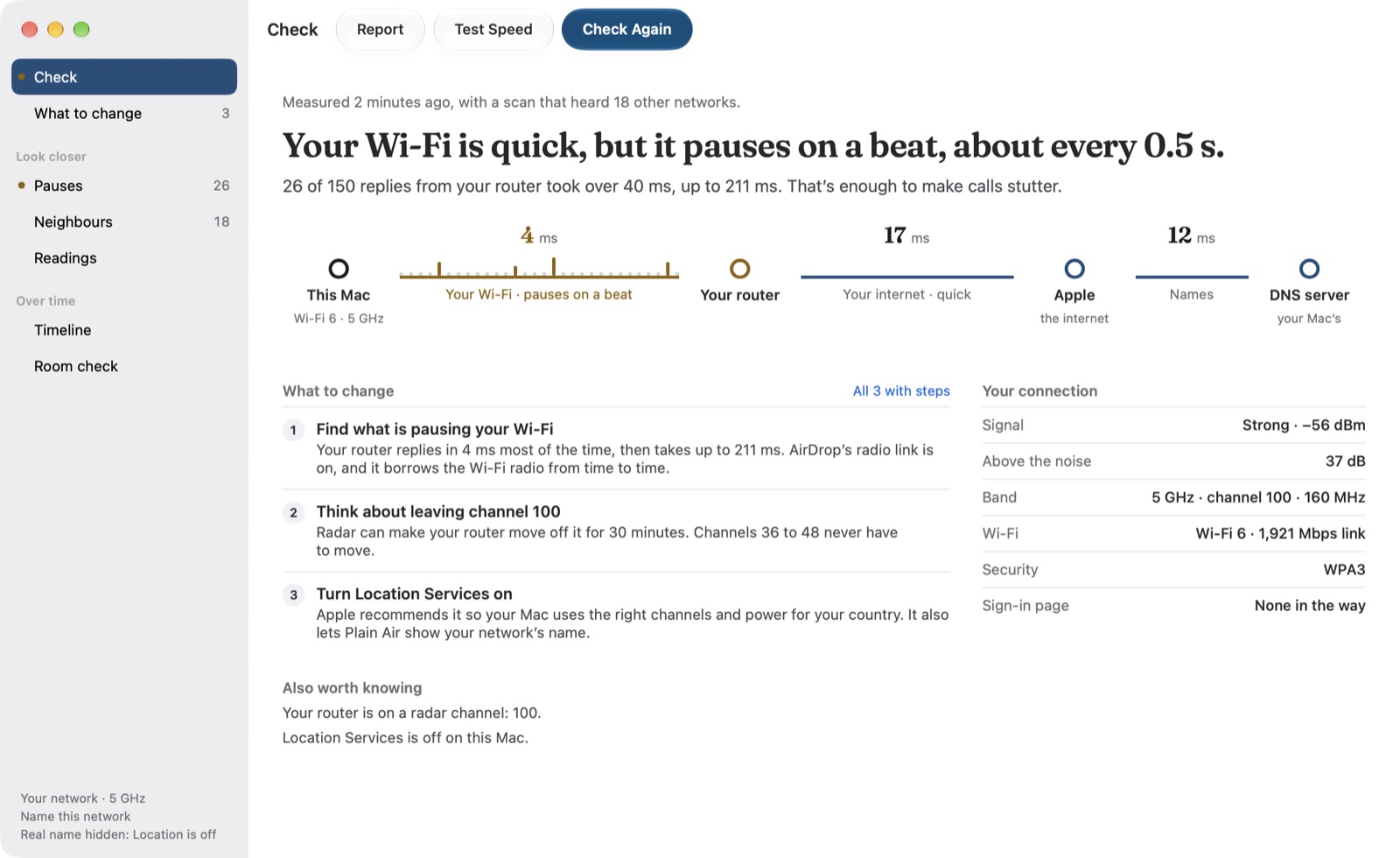 Plain Air’s Check: “Your Wi-Fi is quick, but it pauses on a beat, about every 0.5 s.”, then the path from this Mac to your router, Apple and the DNS server at 4, 17 and 12 ms, three things to change, and the connection’s facts
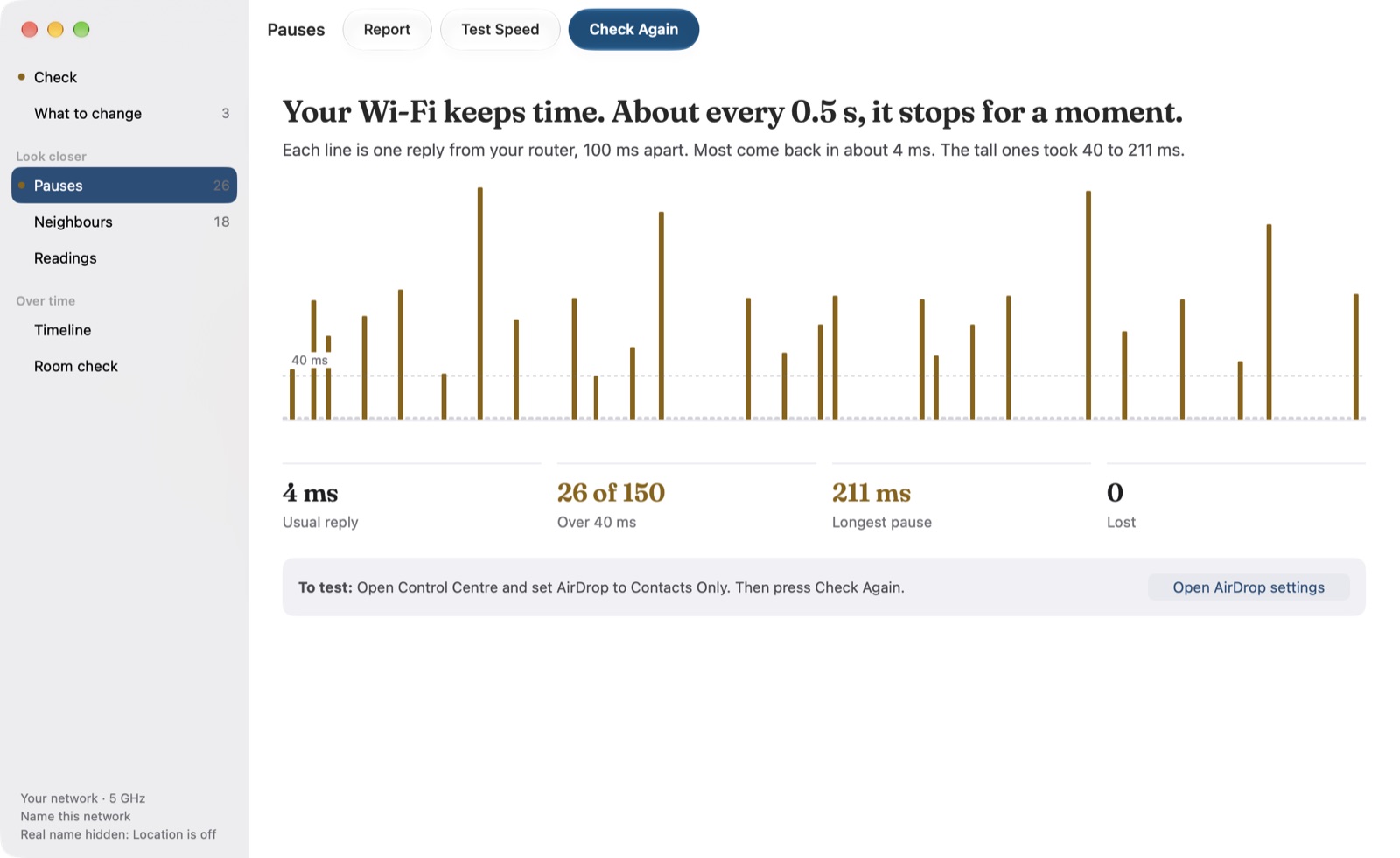 Pauses: 150 replies from the router as lines, the tall ones over 40 ms; a usual reply of 4 ms, 26 of 150 over 40 ms, a longest pause of 211 ms and none lost
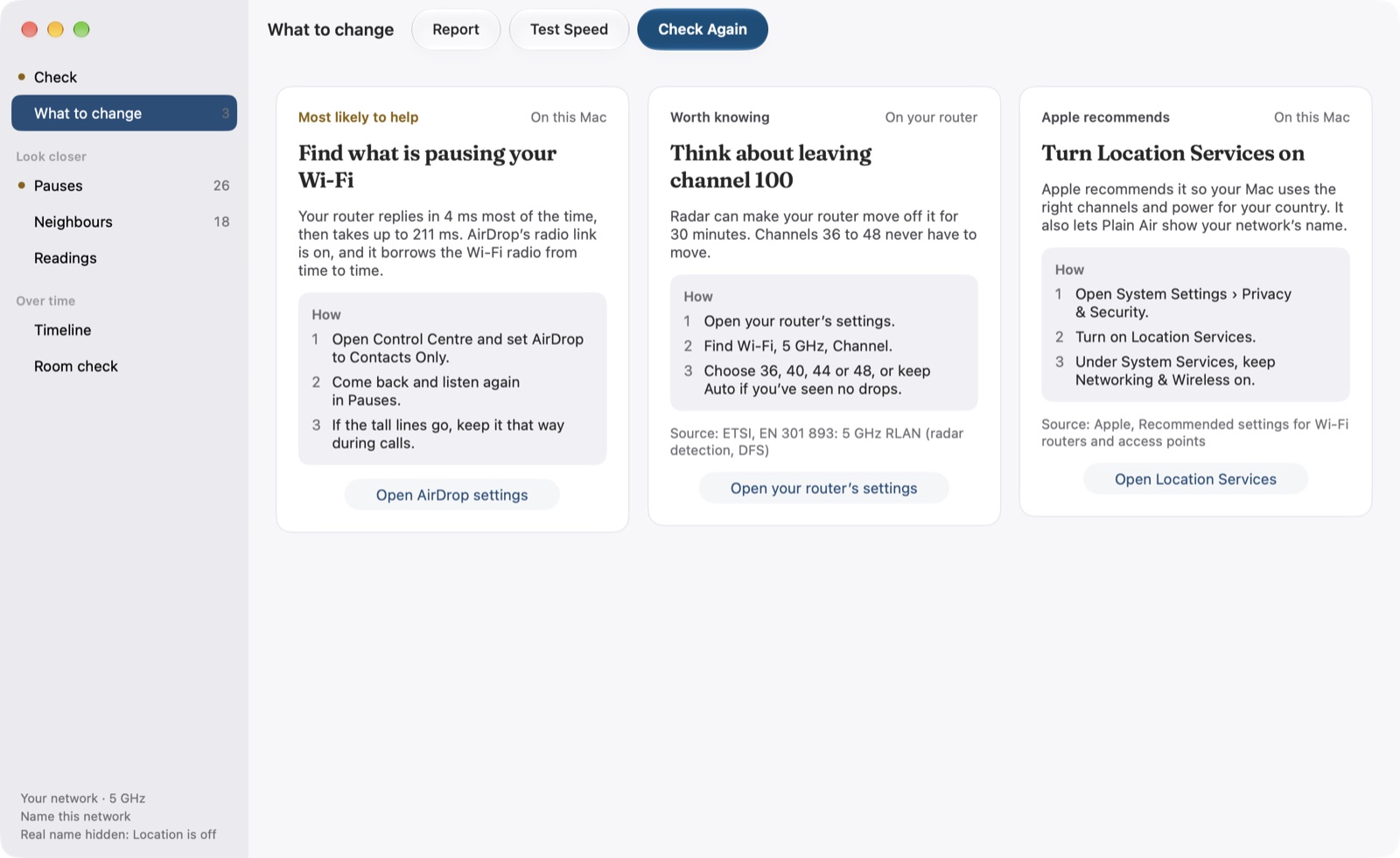 What to change: three cards, each with why, how and one button: find what is pausing your Wi-Fi, think about leaving channel 100, and turn Location Services on
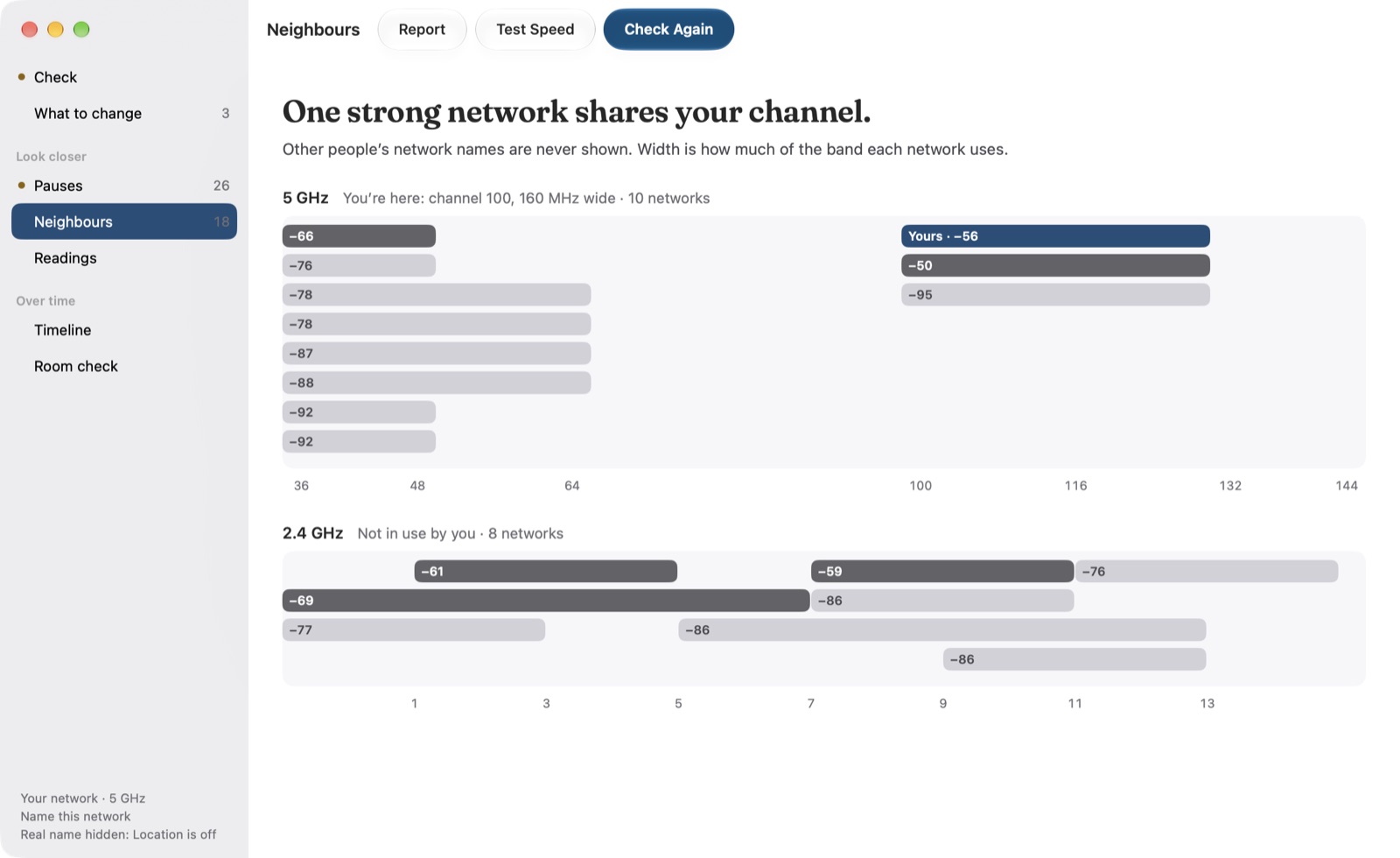 Neighbours: one strong network shares your channel; the 5 GHz and 2.4 GHz networks nearby by channel and strength, yours on channel 100, with no network names
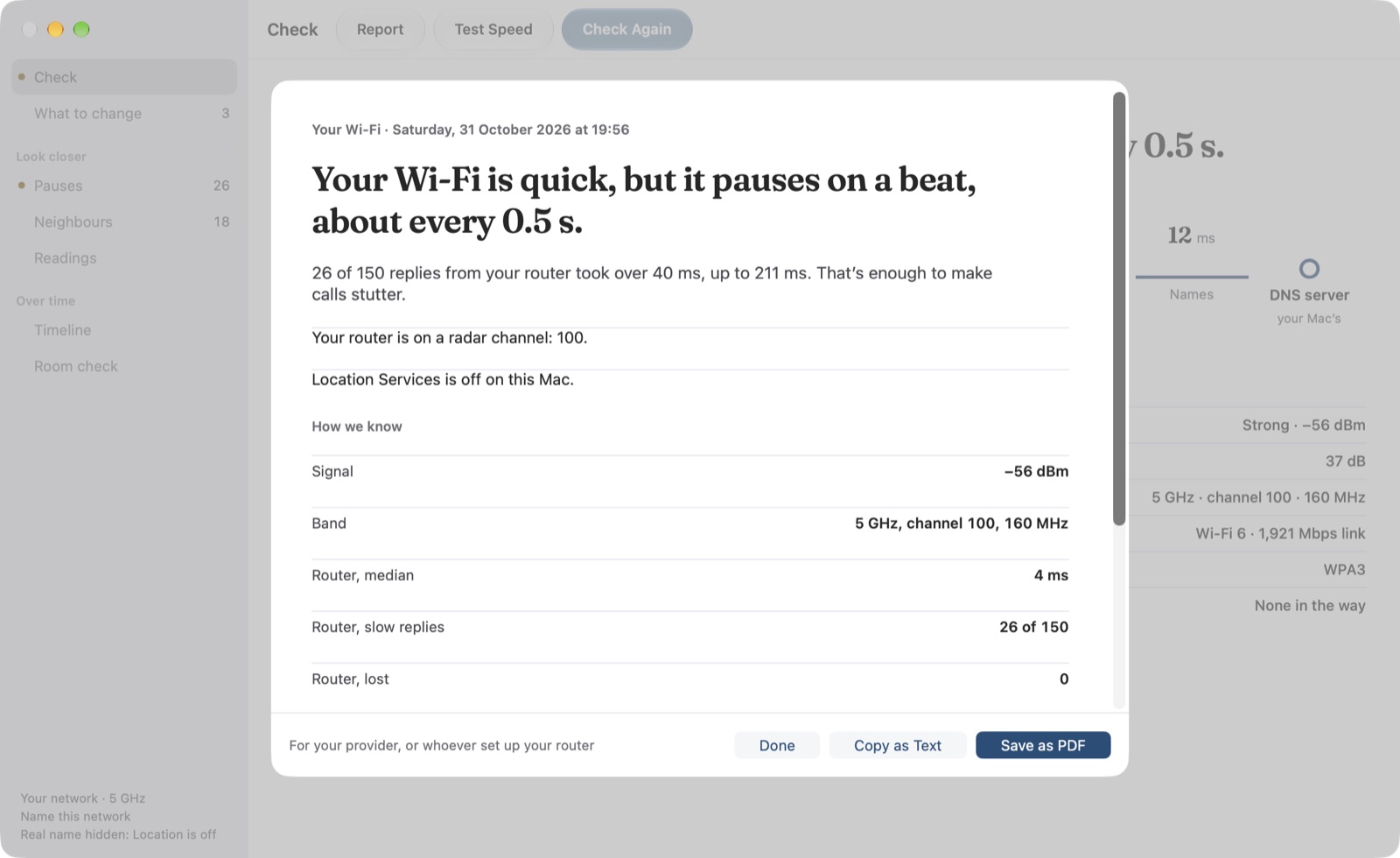 The report: the verdict, what else was found, and how we know, with the signal, band and router times, ready to copy as text or save as a PDF
Film
1:51. Download the film · vertical version
Questions and codes
Email info@nicoleslittlebrother.tech for anything else, or for a code to try the full version. The icon, screenshots and film may be used in coverage of Plain Air.